NeuralClean

Know your school was cleaned properly. Every night.

NeuralClean records each clean as it happens: the crew checks in at your door, photographs every room as they found it and as they left it, and the inspection score lands on your phone. You sign it off in the morning.

For schools, academy trusts and the facilities teams that look after them. On iPhone and Android, with a web portal for the office.

Hatfield Academy Primary

Tuesday 29 September, 16:00 to 20:00

4.7out of 5

  1. Checked in by scanning the QR label at reception
  2. Classroom Block A photographed as found and as left
  3. Main washrooms: 12 of 12 checks done
  4. Checked out, 4 rooms, 3 hours 54 minutes on site

Signed off by David Green, business manager, at 08:12 the next morning

One night’s clean, from the door to your sign-off

The same record reaches the crew, their supervisor, the office and you, so everyone argues from the facts.

  1. The crew checks in at your building

    Each cleaner scans the QR label for your site, or its NFC tag, and the app confirms they are there. A visit nobody attends is flagged to the office and to you straight away.

  2. Every room, as found and as left

    The crew photographs each room in the app during the visit, and each picture is kept with the room and the time it was taken, so what you see is that night’s work.

  3. Checklists, room by room

    The cleaning specification for each room becomes a checklist. Required items must be ticked before the job can be completed, and kit that fails its safety check cannot be signed out.

  4. The supervisor sees it live

    Who is on site, who is running late and which visits were missed. A supervisor can send cover from another site in a couple of taps.

  5. You sign it off with your morning coffee

    Inspections and weekly hours arrive in the School app for your signature. If something was wrong, say so from the visit and the office is told with the photographs attached.

Three apps, one record

Each person sees the part of the clean that is theirs. Native on iPhone and Android.

The School app

For business managers, bursars and site staff

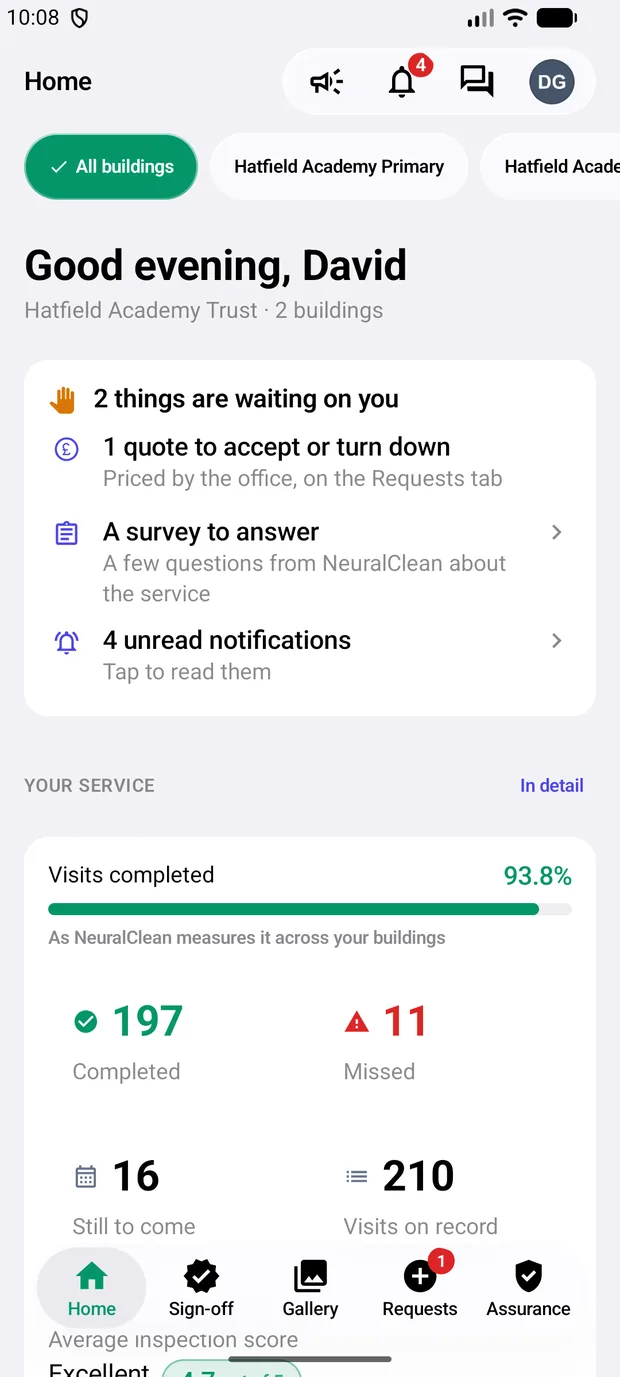
  • Sign off inspections and weekly hours, or say what was wrong
  • Every visit’s photographs, with a slider from as found to as left
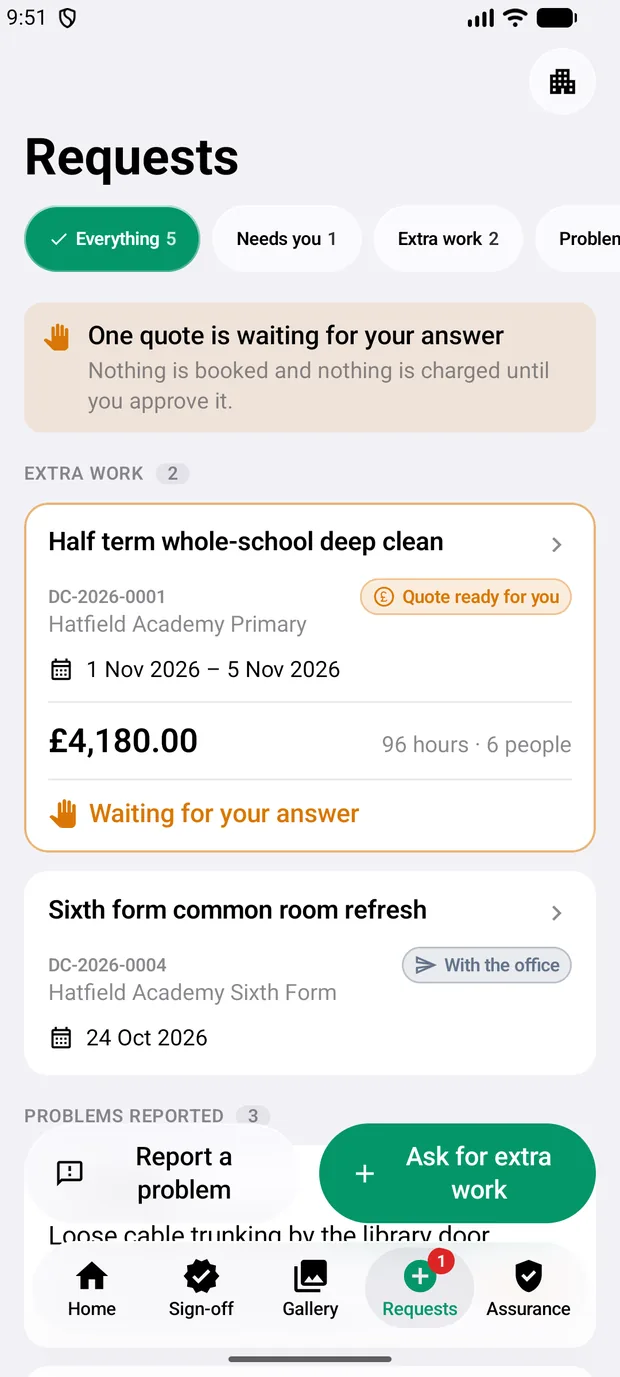
  • Book an extra visit, ask for a quote, report a problem
  • Monthly and termly reports ready to share with governors
  • Pay invoices by card or Direct Debit
The School app’s home screen: two things waiting on you, 197 visits completed, average inspection score 4.7 out of 5 The Requests tab: a deep clean quote of £4,180 waiting for an answer

The Cleaner app

For the cleaning team

  • Today’s jobs, the floor plan and the way in to each block
  • Check in by QR or NFC, room checklists, photographs
  • Works without a signal and sends when back online
  • Timesheets, payslips, leave and training in one place
  • Messages and calls with the supervisor and the office
A job in the Cleaner app: required items still to tick, after photographs still needed, and the room checklist

The Supervisor app

For supervisors and area managers

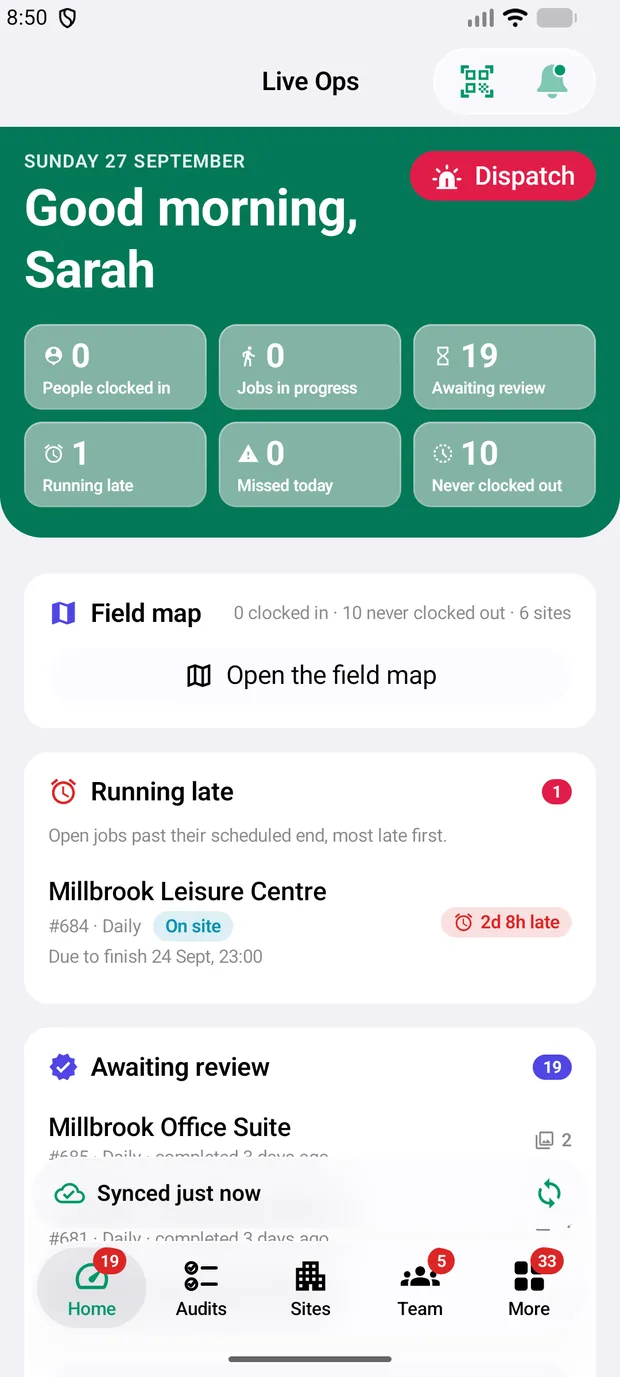
  • Live operations: on site, running late, missed, awaiting review
  • Send cover when someone does not turn up
  • Inspections scored 1 to 5, section by section
  • The team’s vetting, training, timesheets and leave
  • Kit registers, faults and stock takes
Live Ops in the Supervisor app: one visit running late, 19 awaiting review, and the field map

Built around what a school has to answer for

Who is in your building
See the vetting status of everyone who cleans for you. Anyone not yet DBS cleared is named, so you can ask what supervision is in place.
Safeguarding concerns
Raise a concern from the app straight to the cleaning company’s designated safeguarding lead. You get a receipt with a reference; only the safeguarding lead and the company’s administrators can open it.
Chemicals and colour coding
COSHH sheets, safe systems of work and the colour-coding chart for each building, with a record of which staff have read them.
Accidents and RIDDOR
Accidents on your site are recorded with what happened next, and those reportable to the Health and Safety Executive are marked as reported.
Equipment that is safe to use
Every machine carries a label. PAT tests, faults and anything taken out of use are visible to you, and unsafe kit cannot be signed out by the crew.
A book between you and the crew
Leave a note for tonight’s team, such as an exam in the hall, and see when it was read. It stays with the building when the team changes.

For the cleaning company running the contract

The office portal is where the contract is run: sites and their cleaning hours, rotas, staff and HR, payroll worked out from real clock-ins, and invoices that schools pay online.

Open the office portal
  • SchedulingOne posting per cleaner, teams of up to 20 per school, cover ranked by who is nearest
  • People and HROnboarding, right to work, contracts, leave and sickness, reviews
  • PayTimesheets from clock-in and clock-out, payslips in the app
  • BillingInvoices, card and Bacs Direct Debit through Stripe
  • Moving from paperImport customers, sites, staff and past clock-ins from spreadsheets

See your own buildings in NeuralClean

We will set up a demo with your sites and cleaning hours, so you can judge it on your own school.